New Version 2.0

Organize Your Web Life with BK Websites

The easiest way to manage, access, and clean up your favorite websites. Delete unwanted shortcuts with a single click—safely and securely.

4.9/5 Rating
10,000+ Users
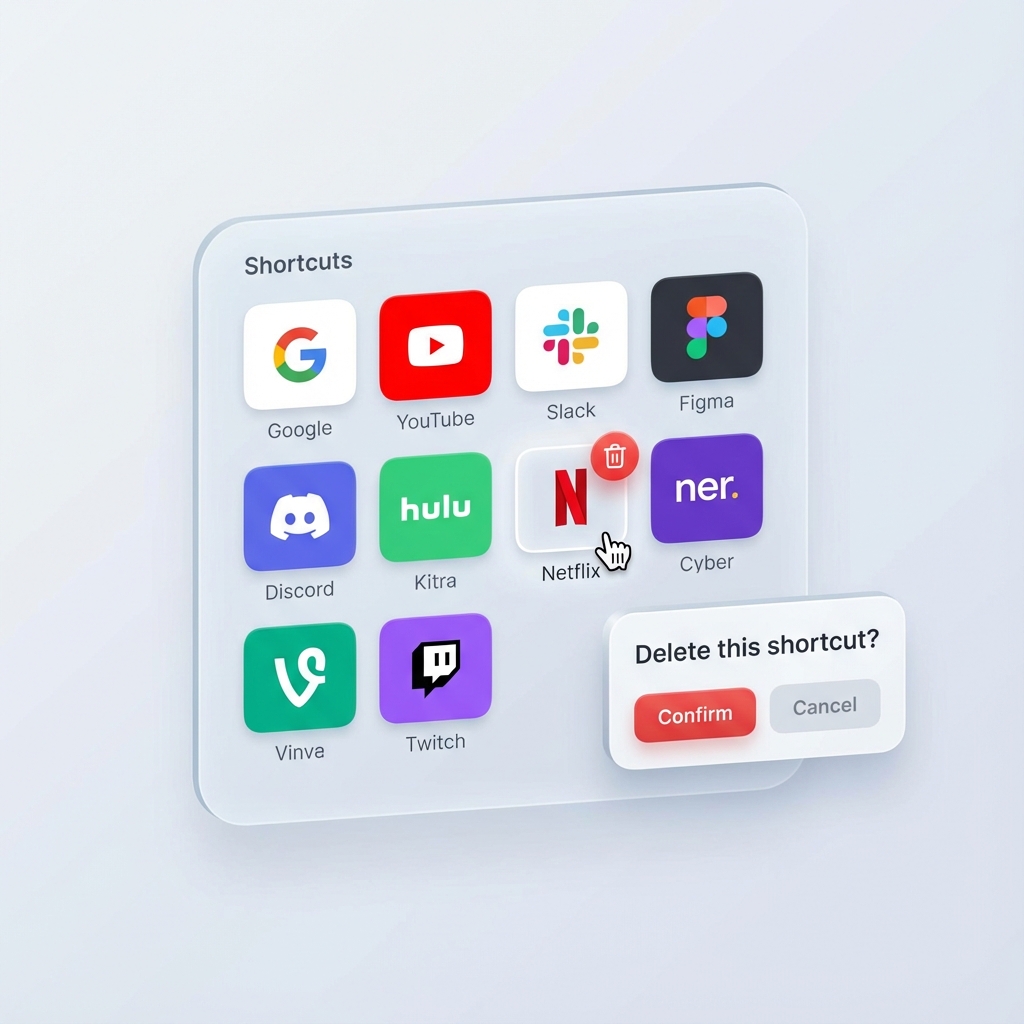
BK Websites Interface
One-Click Delete
Safe & Secure

Why Choose BK Websites?

Designed for speed, safety, and simplicity.

Lightning Fast

Access your favorite sites instantly. No lag, no loading times. Just click and go.

Easy Cleanup

Remove clutter effortlessly. Hover over any shortcut and click the trash icon to delete it.

Safety First

Accidental clicks happen. Our smart confirmation popup ensures you never delete a shortcut by mistake.

Organized Folders

Group your shortcuts into folders to keep your workspace clean and efficient.

How It Works

Get started in seconds.

1

Install Extension

Add Smart Shortcuts to your browser from the Chrome Web Store.

2

Add Shortcuts

Save your favorite websites with a custom name and icon.

3

Manage & Clean

Drag to reorder, or click the trash icon to delete unwanted items.

Loved by Users

See what others are saying about Smart Shortcuts.

★★★★★

"Finally, a way to organize my messy browser! The delete confirmation is a lifesaver."

★★★★★

"Simple, clean, and does exactly what it says. The UI is beautiful."

★★★★★

"I love how fast it is. Deleting old shortcuts is so satisfying now."

Ready to declutter your browser?

Join thousands of users enjoying a cleaner web experience.

Download for Chrome